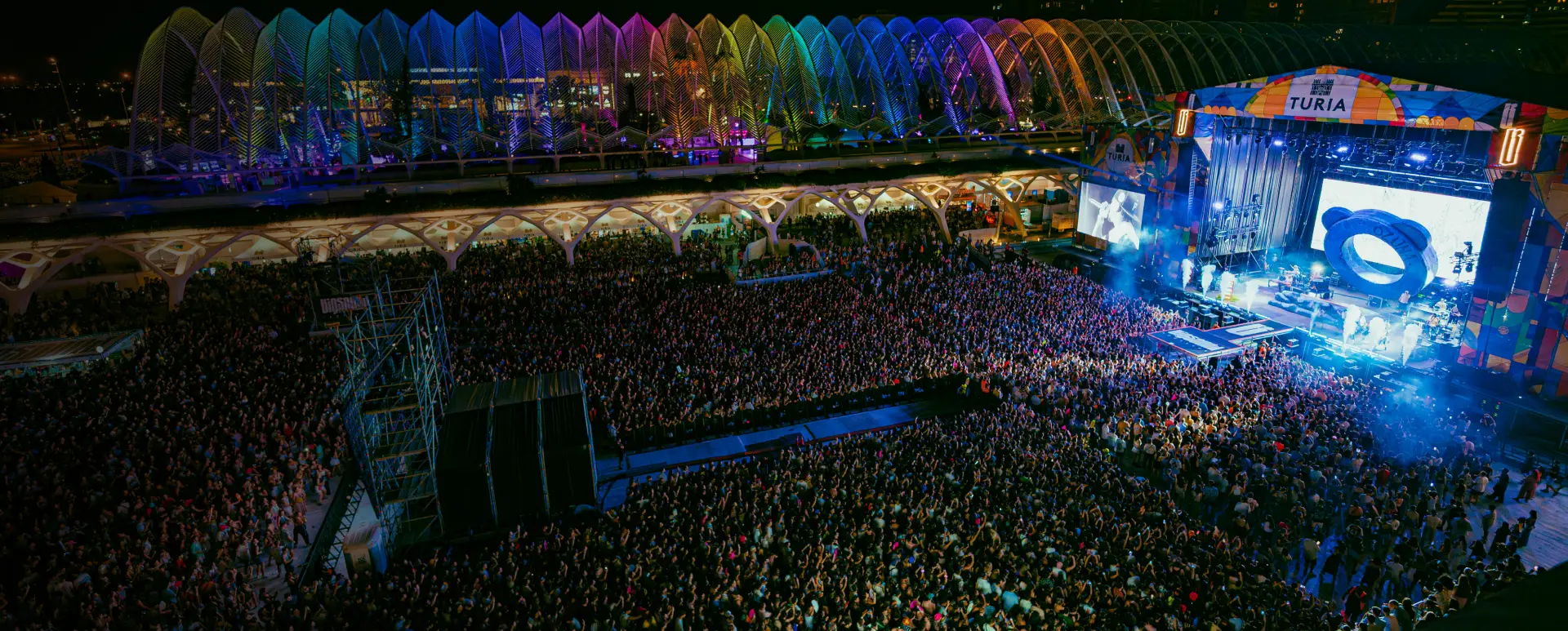
Your next festival has 6,000 tickets sold. Six thousand people who, at some point over the coming months, are going to ask you the same questions: “how do I get there?”, “when do doors open?”, “is parking included?”. And on event day, when the main stage runs 25 minutes late, you’ll need everyone to know within seconds.
With manual management, that means a saturated customer support team, messages that arrive too late, and attendees finding out about changes through Instagram instead of from you. With WhatsApp automation for events, it’s a flow that runs by itself: it fires, it arrives, and you’re focused on what actually matters on event day.
This isn’t science fiction. It’s what separates the promoters who scale from the ones still glued to their phones the week of the event.
Most promoters who use WhatsApp do it the same way: pick up the phone, write the message, send it to a broadcast list. Repeat for the next group. Then the next.
That’s standard. And it works until it doesn’t — which is usually the year your event grows enough that the list no longer fits in 256 contacts, or the year you try to send three different messages to three different segments and realise you need four hands and eight hours.
The promoters who make the jump to automated WhatsApp for events don’t do it because they love technology. They do it because at some point they do the calculation: how many hours a week is the team spending on tasks that could run themselves?
The answer tends to be surprising.
A purchase confirmation flow, for example, requires no one to be watching. When an attendee buys a ticket, they automatically get a WhatsApp confirmation with their order number and a link to the event’s practical information. Without you doing anything. Without anyone on the team having to send it.
The difference between a manual message and an automated flow isn’t just operational. It’s strategic. A well-configured automated flow is consistent: it always arrives, always at the right moment, always with the right information. The manual message depends on someone remembering to send it.
What you need to make that leap isn’t a technical team or a big budget. It’s WhatsApp Business API, an attendee database with opt-in, and a tool that lets you build message flows. An event-specialist CRM for events brings all three together.
There are hundreds of things you could automate. But if you had to start with just five, these are the ones that make the biggest difference to your relationship with attendees and to your team’s workload.
1. Instant purchase confirmation
The most important moment in your relationship with a new attendee is the instant after they buy. The person just gave you money. They need to know the transaction went through and that everything is under control.
An automated WhatsApp message sent within 30 seconds of purchase does two things: it confirms the transaction and it starts building the relationship on the most personal channel that exists. It’s not just an acknowledgement. It’s the first message in a conversation that will last months.
The message doesn’t need to be long. It needs to be clear and human:
“Hi [name], your ticket for [festival] is confirmed. Order number: [code]. Save this message — we’ll send you all the practical info here as the date gets closer.”
That last line matters: it sets the expectation that there will be more WhatsApp communication coming, and that it’ll be worth paying attention to.
2. Reminders in sequence: 7 days, 24 hours, and event day
One reminder before an event isn’t enough. People buy tickets months in advance and life gets in the way. The cycle that works for WhatsApp festival reminders is three spaced messages, each with different information:
7 days before: the main reminder. Confirms date, schedule, location, and how to get there. Includes what attendees need to know to plan their day (ticket collection desk, parking, access rules). This message cuts the “what do I need to bring?” queries in half.
24 hours before: the “tomorrow is the day” notification. Shorter. Link to the venue’s interactive map if you have one. Weather forecast if the event is outdoors. The goal here isn’t new information — it’s activating anticipation.
Event day: door opening times, first act on stage, how to reach someone if there’s an issue. This message arrives when the attendee is already in event mode. Every piece of information you include here is one less query for your support team.
Three messages. Automated. Without anyone on the team having to remember to send them.
3. VIP upgrade upselling
The best moment to offer a VIP upgrade isn’t the day the attendee buys their ticket. At that moment they’re in transaction mode — they just made the decision to buy, the effort is done. That’s not the moment to ask them to make another decision.
The best moment is two weeks before the event, when anticipation is high and the attendee is already picturing what the day will look like. At that point, a WhatsApp message with an upgrade offer lands in the right mental state:
“[Name], you’re 14 days away from [festival]. VIP ticket holders get priority access to the main stage area, queue-free bar, and a dedicated lounge. There are still a few upgrades available. Interested?”
The link goes straight to the upgrade checkout. No intermediate steps. No hunting around the website for the option.
WhatsApp click-through rates sit around 45-60% according to Meta data, making this flow one of the most profitable in the entire communication cycle.
4. Post-event survey
Feedback collected immediately after the experience is the most honest and the most actionable. The problem with email surveys is that they arrive when the attendee has already emotionally disconnected. Response rates tend to be low.
A WhatsApp message sent the morning after the event, when the attendee still has the memories fresh, works differently. The channel is personal. The message arrives in the same place you communicated with them throughout the whole cycle. And if it’s short — a single question — the barrier to responding is almost zero:
“How was [festival] for you? On a scale of 1 to 10, would you come back?”
If the response is 7 or below, the flow can ask a follow-up question: “What would you change for next year?” If it’s 8 or above, it can invite them to share their experience.
The data you collect with this flow is what allows you to improve edition after edition with real information from people who were actually there.
5. Inactive attendee reactivation
This is the flow most promoters don’t have. Six months after the last event, when you’re about to announce the next edition, you have people in your database who bought once and haven’t returned. You don’t know if they lost interest, if life got in the way, or if nobody ever thought to ask again.
A well-crafted reactivation message isn’t a sales pitch. It’s a relationship restart:
“It’s been a year since you were at [festival]. We’re back — and as a previous attendee, you get priority access to early bird tickets 24 hours before anyone else. Want us to let you know when presale opens?”
An affirmative response turns an inactive contact into a warm lead. It does this without pressure, without artificial urgency, without discounts that erode the event’s perceived value.
Chatbot + WhatsApp: how the combination works
An automated flow sends messages at predefined moments. A chatbot responds to messages that attendees send to you. These are two different things, and combining them is what creates a complete experience.
The clearest use case for a WhatsApp chatbot for festivals is event day. You have 6,000 people in a venue. A meaningful portion of them have real-time questions: where’s the rest area, what happens with the attendee who lost their ticket on their phone, when does the second headliner go on.
Without a chatbot, those questions arrive at your team’s WhatsApp number and someone has to answer them one by one. With an AI chatbot trained on event information, 80% of those questions get answered automatically in seconds. Your team only steps in when a question requires human judgement.
It’s like having a customer service team that works 24/7, responds in seconds, and never complains about overtime.
The combination works like this:
- The attendee types “what time does the north gate open?” to the event’s WhatsApp number
- The chatbot identifies the intent, searches its knowledge base, and responds with the exact schedule
- If the question isn’t in the knowledge base (“I’ve lost my ticket”), the chatbot detects that it needs human intervention and escalates the conversation to a real agent
- Your team only sees the conversations that genuinely require their attention
For this to work, the chatbot needs to be trained on event information before it starts: schedules, venue map, ticket policy, access FAQ. The more information it has, the higher the percentage of questions it can resolve autonomously.
Step by step: setting up your first automated WhatsApp flow
The part that holds most promoters back is the “where do I even start?” problem. Here’s the right order.
Step 1: choose which flow to implement first
Don’t start with the most complex one. Start with the one that has the most immediate impact with the least configuration: the purchase confirmation. It’s the simplest flow (a single message triggered when a purchase happens) and the one your attendees will notice most immediately.
Once that flow is running and you’ve got familiar with the tool, add the reminders. Then the upselling. Then the post-event survey.
Step 2: build your database with WhatsApp opt-in
Automated WhatsApp flows only work with contacts who have given explicit consent to receive messages through that channel. Having their phone number isn’t enough. GDPR requires specific consent for each commercial communication channel.
The most natural way to get it in the events sector is a specific checkbox during ticket purchase: “I want to receive information about this event via WhatsApp.” Simple. In the purchase flow, when the attendee is already in “I want information about this event” mode.
For attendees from previous editions who don’t have WhatsApp opt-in, you can run an email capture campaign inviting them to subscribe: “Join our WhatsApp channel and get priority access to presale before anyone else.” You give something in exchange for the permission.
Step 3: create your message templates
With WhatsApp Business API, messages that a business sends proactively must use Meta-approved templates. You can’t send free text at scale — Meta needs to review that the content complies with their policies before you can use it.
The approval process usually takes 24-48 hours. Transactional templates (confirmations, informational reminders) get approved quickly. Promotional ones (upselling, offers) need more care in the wording.
When writing your templates for WhatsApp automation for events, keep in mind:
- Use personalisation variables correctly:
{{1}} for name, {{2}} for event date. Meta rejects free-format double curly braces — if you need to write literal braces in content, escape them
- Avoid artificial urgency language or excessive exclamation marks
- The message must have clear value for the recipient, not just be a sales pitch
For flows to fire at the right moment (ticket purchase, order status change), your ticketing system needs to be connected to your WhatsApp channel. This is where the CRM for events acts as the connector.
The integration works like this: the ticketing platform sends an event to the CRM when a purchase happens → the CRM identifies the contact and verifies whether they have WhatsApp opt-in → if they do, it triggers the confirmation flow.
Without this integration, automated WhatsApp flows are like having a car with no road: the tool exists but has nowhere to go.
Step 5: test before you go live
Before activating any flow with your real database, test it with a test number. Verify that the message arrives correctly, that variables populate properly, that links work, and that send times are right.
The most common failure in first implementations isn’t technical — it’s timing. A “tomorrow is the day” reminder that goes out at 3 AM because the event technically starts at 3 AM the next day might seem funny in retrospect, but not when 5,000 people receive it.
Metrics to know if your automation is working
Setting up the flows is only half the work. The other half is knowing whether they’re actually performing.
The key metrics for automated WhatsApp event flows:
Delivery rate. How many messages actually arrived out of total sent. If it drops below 90%, there’s a problem with the quality of your phone number list. Check how many numbers are invalid or blocked.
Open rate. With WhatsApp the standard is high, around 85-95%. If a specific flow is well below that range, the problem is usually in the first line of the message or the send time.
Click rate. For messages with a CTA (upgrade purchase link, survey, venue map), this is the metric that measures real effectiveness. A message with high opens but low clicks indicates it’s arriving but not triggering the desired action.
Reply rate. How many attendees respond to your messages. This metric is particularly relevant for post-event surveys and reactivation messages. A high reply rate in the reactivation flow is a clear signal that you’re reaching people who still have genuine interest.
Unsubscribe rate. How many contacts opt out of your WhatsApp communications after receiving a message. If a specific flow generates significant opt-outs, the message or timing isn’t right. This isn’t something to ignore: a high opt-out rate doesn’t just shrink your list — it affects your number’s quality score and can limit your future sending capacity.
Reviewing these metrics after each event cycle and adjusting flows based on results is what turns an initial automation into a system that improves over time.
The difference between a promoter who spends event week answering messages one by one and one whose flows are already configured isn’t about size or budget. It’s a decision. They decide their team’s time is worth more than that, they set up the flows, and by the next edition they don’t have to make that choice again.
If you want to understand how WhatsApp Business API works before configuring your first flows, the article on WhatsApp Business for event promoters gives you the complete technical foundation. And if you want to see a real case of how a festival used WhatsApp to accelerate ticket sales, we have that documented here.
How many hours a week is your team spending on communications that could run by themselves?
Frequently Asked Questions
What do I need to set up WhatsApp automation for my event?
You need three things: a WhatsApp Business API account (through a Meta-authorised provider called a BSP), an attendee database with explicit WhatsApp opt-in, and a tool that allows you to build automated message flows. An event-specialist CRM simplifies this significantly because it connects directly to your ticketing platform and already has WhatsApp API integration built in.
Can I use a WhatsApp chatbot without WhatsApp Business API?
No. WhatsApp chatbots only work with the API. The free WhatsApp Business app allows predefined quick replies, but not automated conversation flows or intelligent responses based on what the user types. For a real chatbot that understands questions about schedules, access, or tickets, you need the API connected to an automation system.
How many automated messages is too many before an event?
The practical rule that works is a maximum of three pre-event messages per cycle: one at 7 days, one at 24 hours, and one on event day. Adding more without a specific reason increases unsubscribe rates and creates the perception that you're intrusive. What you can do is combine each reminder with different useful information: the 7-day one with the practical guide, the 24-hour one with the venue map, the day-of one with the final schedule. Each message needs to have standalone value.